Log In

Electrifying Vocal Chops
Bloom Vocal Edit fuses an extensive collection of energetic vocal chops, hooks, and one-shots into a versatile and dynamic instrument, meticulously crafted to inject your tracks with infectious vocal melodies and hooks. This powerful tool transforms the way you incorporate vocals into your productions, making it effortless to create unique, professional-sounding chops that demand attention.
While its predecessor, Bloom Vocal Aether, focused on smooth, atmospheric background vocals, Vocal Edit takes centre stage with bold, attention-grabbing vocal elements designed for modern electronic, hip-hop, and pop productions.
From the rhythmic staccato of EDM vocal chops to the smooth R&B harmonies, the gritty textures of distorted vocals, to the glitchy experimentation of avant-garde electronic, Bloom Vocal Edit is a goldmine for producers looking to elevate their tracks with cutting-edge vocal motifs.

What Can Bloom Vocal Edit Do?
- Instantly add striking vocals to bring your tracks alive.
- Produce ear-catching phrases and motifs with ease.
- Create energetic, chopped-up hooks that grab listeners.
- Seamlessly blend between vocal styles for genre-defying productions.
- Shape and sculpt unique vocal layers with expressive modulation.
No more searching through endless vocal samples – Bloom Vocal Edit lets you switch between phrases to create unique hooks, build huge FX modulation to captivate your audience and transform it all with a chain of vocal-specific processors.
Crafting the ideal vocal element is now an intuitive and engaging process, allowing for hands-on control over sample triggering and sound shaping. Four macro controls offer instant tonal adjustments, while the Edit page unveils detailed customisation tools, giving you complete control over sample manipulation, sequence creation, modulation and effects across 250 presets.
How it Works
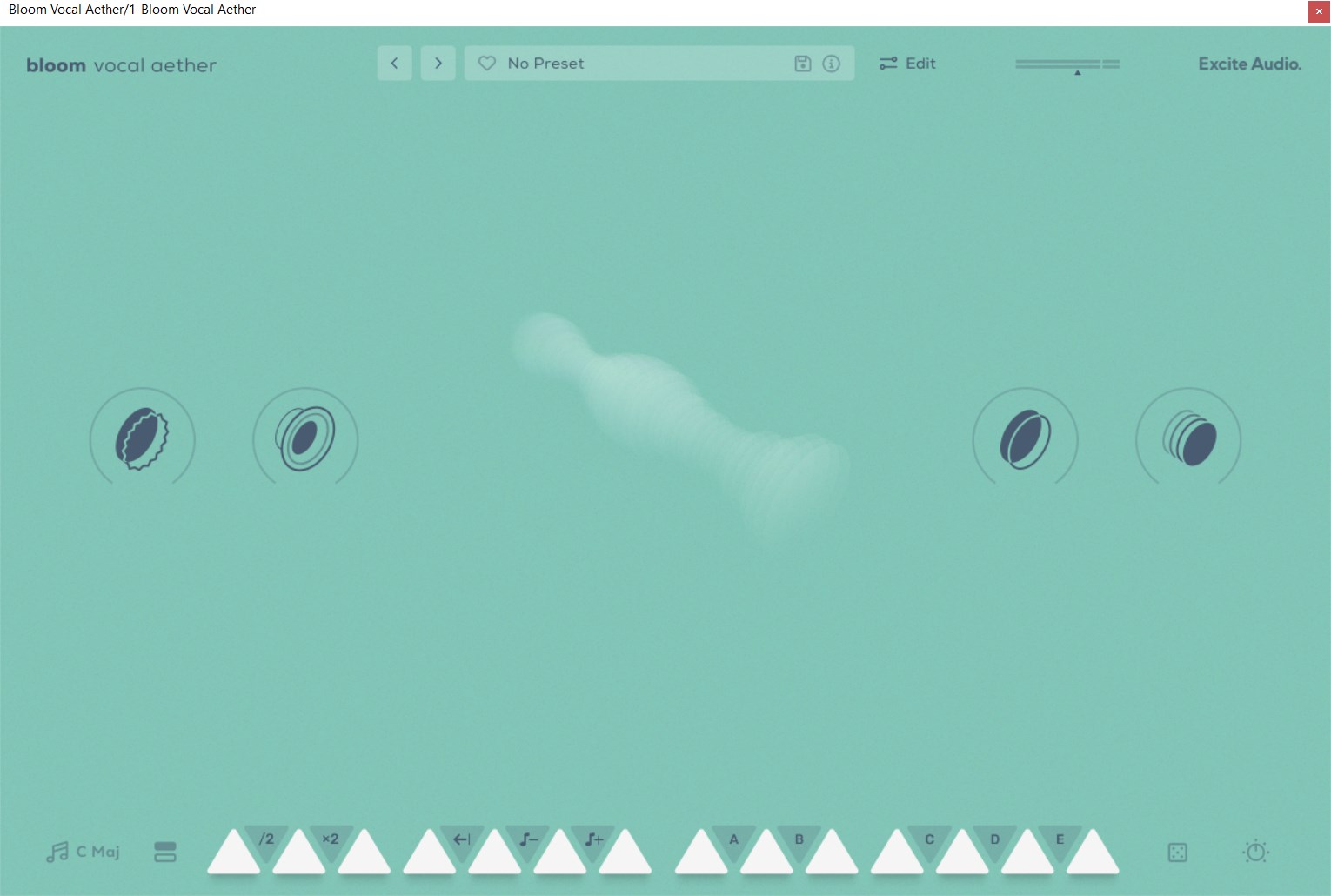
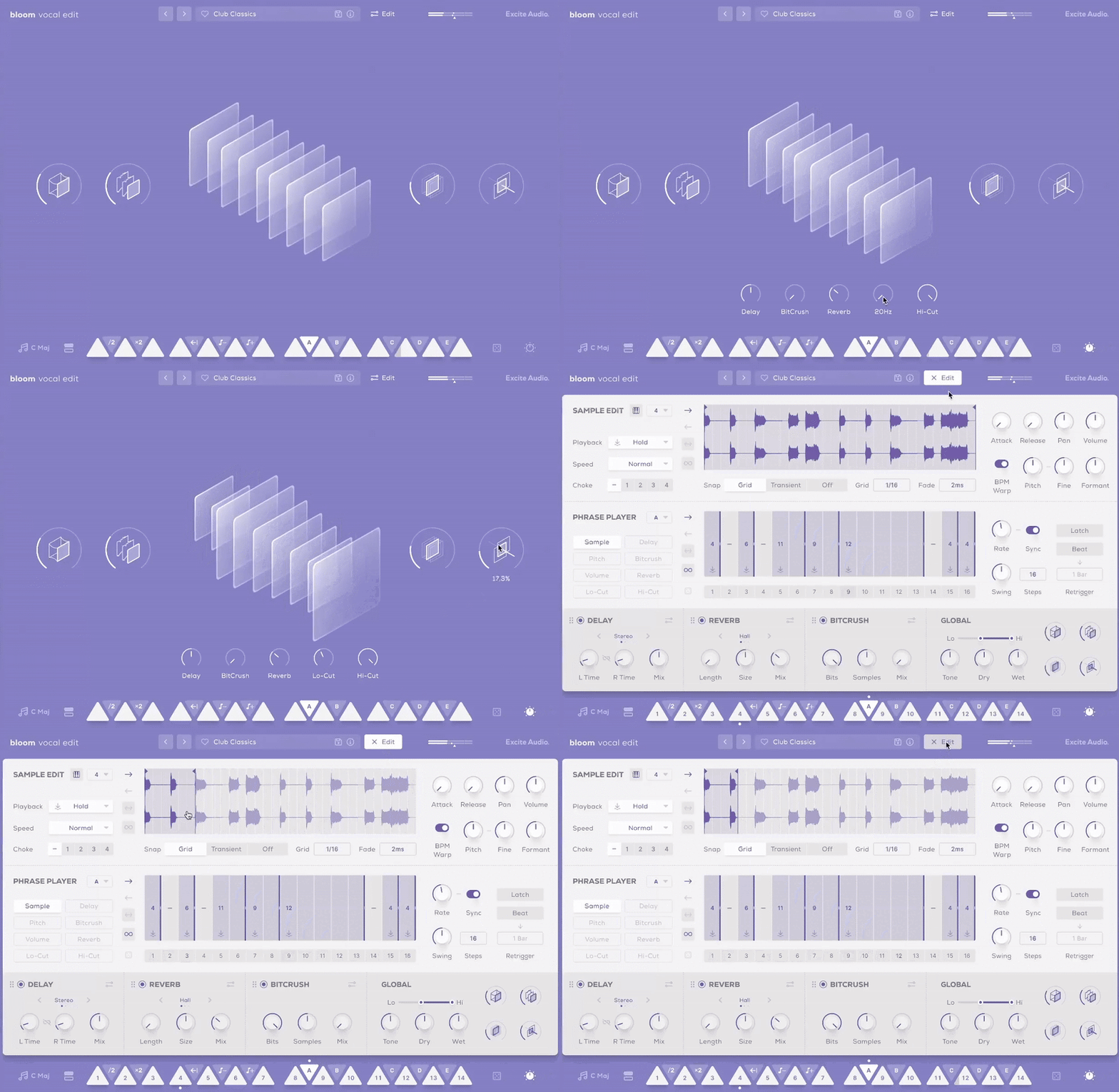
Choose your key signature, select a bank of samples or a preset, and trigger one of 14 bpm-synced phrases spread across 2 octaves. White keys initiate vocal samples and loops, while black keys adjust characteristics such as playback speed and pitch, besides triggering bespoke sequences and effect modulation.
The four innovative macro controls – Glue for smoothing out dynamics, Fuzz for distorted pedal-like distortion, Metallic for a short slapback delay, and Doubler for stereo width and ensemble effects – steer a bespoke chain of effects, fine-tuned for the curated selection of vocal samples that form the instrument.

The Main Page
With eight banks of sounds, each dedicated to a different type of vocal element, Bloom Vocal Edit provides a versatile foundation for any project. Trigger a sample with a MIDI white note to add vocals to your track instantly, or utilise the Phrase Player to weave the sample into a complex vocal sequence. The Phrase Player does more than just playback samples; it's a creative tool for modulating and morphing effect properties, enabling each sound bank to offer a broad spectrum of tonal possibilities.

Audition and Load Samples & Banks
The Edit Page: Shape Your Sound
Bloom Vocal Edit's Edit page is where you take full control over its vocal content, allowing for the precise tailoring of the existing samples to craft something truly individual.
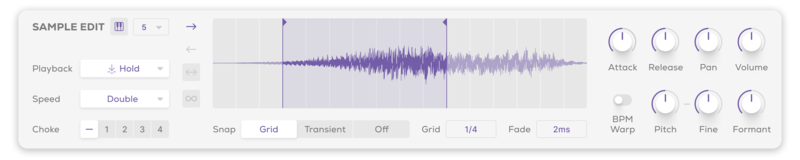
In the Sample Edit section, modify the 14 source samples in each bank. Set sample start and end points, and adjust trigger types, playback direction and speed. Refine pitch, formant settings, and the envelope's attack and release, alongside setting up choke groups for dynamic vocal interactions.
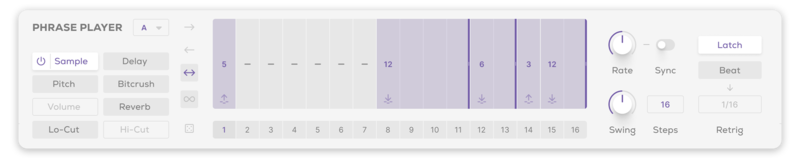
The Phrase Player lets you sequence vocal samples with precision. Assign one of the five black keys to trigger a pattern of samples, modulate pitch, velocity, hi-cut/lo-cut filters and dive deep into the three effects: Bitcrush, Delay and Reverb. Familiar arpeggiator features like Rate, Latching, and Swing provide a powerful foundation for your workflow.
Bloom Vocal Edit incorporates three bespoke effects modules: Bitcrush for lo-fi textures and edge; Delay for rhythmic echoes and space; and Reverb for adding depth and atmosphere. These configurable effects modules are crucial for transforming and refining your vocal sounds, presenting main controls upfront for quick adjustments and advanced options for deeper exploration.

Features
- 14 Sample Keys
- 5 Factory Modifiers: Half-time, Double-Time, Reverse, Octave Down, Octave Up
- 5 Custom Modifiers
- 8 Sample Banks / 112 Vocal Samples
- Samples Synced to Host BPM
- Key Selection
- Sample Randomise
- 4 Macros: Glue, Fuzz, Metallic, Width
- 5 Main FX Parameters: Bitcrush, Delay, Reverb, Lo-Cut, Hi-Cut
- Global Bypass
- 250 Presets
Edit Page - Sample Edit
- Waveform Display
- Playback Direction: Forwards, Backwards, Pendulum, Loop
- Playback Modes: Hold, Latch, Relative
- Playback Speed: Normal, Double, Half
- 4 Choke Groups
- Start / End Markers with Snap to Grid, Snap to Transient
- Sample Crossfade, Attack, Release, Pan, Volume
- Sample Pitch, Fine, Formant, Pitch Warp
Edit Page - Phrase Player
- Sample Mode for triggering sequences
- FX Modulation: Bitcrush, Delay, Reverb, Lo-Cut, Hi-Cut, Pitch, Velocity
- Playback Direction: Forwards, Backwards, Pendulum, Loop
- Sample / Modulation Randomise
- Phrase Rate, Sync, Swing, Steps, Latch, Beat Retrigger controls
Edit Page - FX
- 3 Rearrangable Effects: Bitcrush, Delay, Reverb
- Bitcrush Parameters: Bits, Samples, Mix, Wash, Dynamic, Tone
- Reverb Mode: Plate, Hall, Spring
- Reverb Parameters: Length, Size, Mix, Pre-Delay, Duck, Lo-Cut, Hi-Cut, Input, Output
- Delay Mode: Stereo, Ping-Pong
- Delay Parameters: L/R Time, L/R Link, Sync Time, Mix, Lo-Cut, Hi-Cut, Feedback, Duck
- Global Lo-Cut, Hi-Cut, Tone, Dry, Wet
Learn More About Bloom Vocal Edit
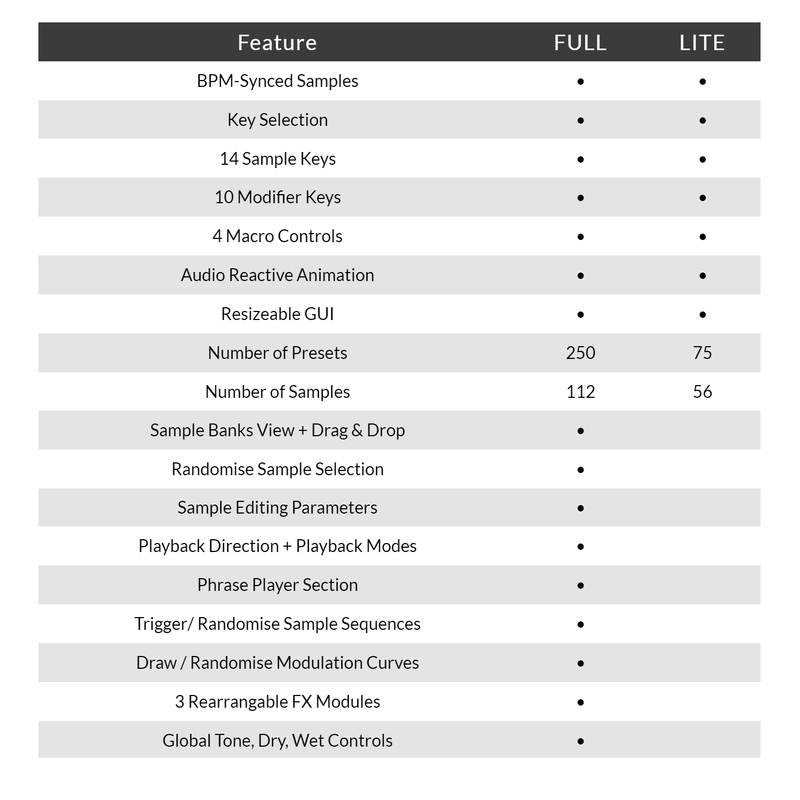
Version Comparison
System Requirements
macOS
- macOS 10.15 or higher (Intel / Native Apple Silicon supported).
- Plugin Formats: VST, VST3, AU, AAX, Standalone.
- DAW's Supported: Ableton Live, Pro Tools, Logic Pro, FL Studio, Cubase, Nuendo, Reaper, Reason + more.
- Compatibility: 64-bit compatible only.
Windows
- Windows 7 or higher
- Plugin formats: VST, VST3, AAX, Standalone
- DAWs supported: Ableton Live, Pro Tools, FL Studio, Cubase, Nuendo, Reaper, Reason + more.
- Compatibility: 64-bit compatible only.
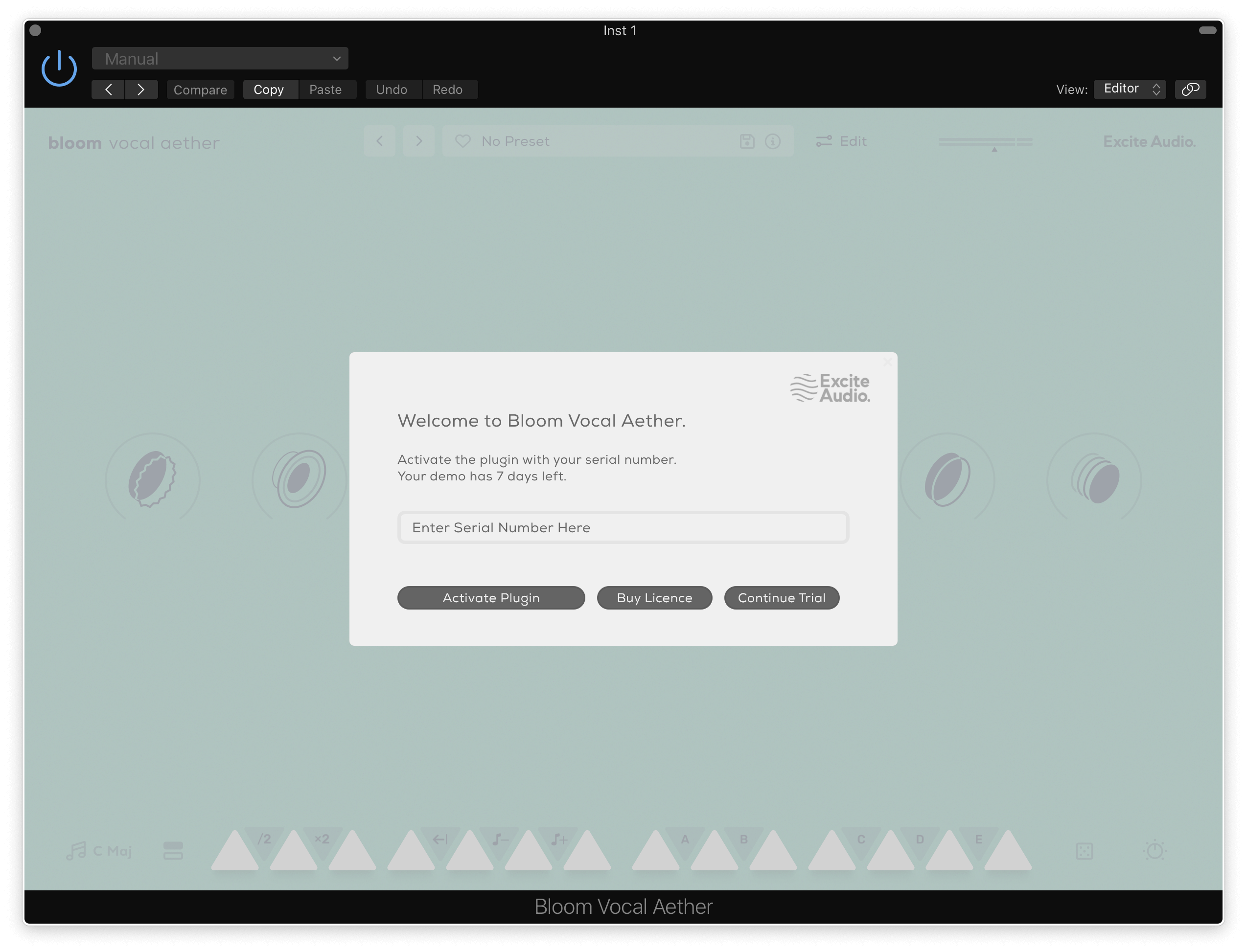
Please Note: An internet connection is required to authorise this software.