


 Log In


The fastest, easiest way to repair and restore audio.
Rescue your audio from the cutting room floor! With remedies for noise, clipping, hum, buzz, crackles, and more, RX 3 is the most robust and best-sounding audio repair toolkit on the market. Used everywhere from Hollywood post production studios to leading sound editing facilities, iZotope RX™ 3 transforms troubled recordings into professional-grade material.
Built for the Toughest Audio Repair Tasks
Perfectly suited for audio engineering and recording, post production, archiving, broadcasting, forensics and more, RX 3 delivers cutting-edge tools for treating previously unusable audio. With an intuitive spectral editor and 10+ intelligent modules, RX 3 enables you to fix troubled audio with unprecedented power and precision.
An All-In-One Solution
RX 3 includes everything you need to repair both common and uncommon audio problems.
- Remove or reduce reverb from vocals, instruments, and more using the revolutionary Dereverb module.
- Clean up dialogue on the fly with the Dialogue Denoiser—the new audio standard for real-time dialogue treatment.
- Monitor your audio and loudness compliance using Insight™, iZotope’s comprehensive metering suite, in your DAW or NLE.
- Turn flawed audio into pristine, usable material using Denoise, Declip, Declick & Decrackle, Spectral Repair and more.
- Pinpoint problems faster than ever with the Spectrogram and Spectrum Analyzer.
- Easily finesse your sound with dedicated audio enhancement modules like EQ, Gain, Channel Operations.
Visualize Your Audio Like Never Before
With RX 3’s groundbreaking spectral editing paradigm, you can use your eyes and ears to identify and fix troublesome audio.
- Visualize audio with the intuitive spectrogram display and discover what your waveform won’t show you.
- Select and remove problematic frequencies with precision using drawing tools like Lasso, Brush, Magic Wand, Invert Selection, Invert Selection Frequencies and Select Harmonics.
- Replace unwanted sounds and fill gaps in recordings with Spectral Repair, which intelligently resynthesizes audio to restore a seamless listening experience.
- Work more intuitively than ever thanks to a completely redesigned interface—clean and approachable for both first-time and previous RX users.
Optimized for Efficiency
RX was redesigned from the ground up to make audio repair fast and easy.
- Repair audio with a workflow that suits you, using RX 3 as a standalone application or as plug-ins within your favorite DAW or NLE.
- Work up to six times faster than before with new, intelligent DSP and multicore processing in the RX standalone application.
- Sleep well knowing you’ll never lose an edit again, thanks to the new RX Document format.
- Get through projects faster than ever by processing and editing multiple files at once.
Who is it for?
Audio Engineering and Recording
- Eliminate the amp hum, equipment hiss and environmental noise that can ruin your recordings.
- Fix problems like clipping, audio dropouts and cell phone rings.
- Remove unwanted reverb and improve the quality of on-location recordings with the Dereverb tool.
- Post and Broadcast
Video Post Production
- Save time and reduce the need for ADR by cleaning up clipped, damaged and noisy dialogue with RX 3’s simple-to-use tools.
- Isolate and reduce troublesome background noise in real time with the Dialogue Denoiser.
- Seamlessly match dialogue takes recorded in different environments with Dereverb.
Restoration & Archiving
- Restoration and Archiving
- Restore old mediums such as vinyl, tape and film with precise control over each step of the process.
- Streamline your workflow by recording directly into RX 3, making necessary repairs, and exporting with 64-bit SRC™ sampling and MBIT+™ dithering quality.
- Repair stereo imbalances and phase issues that can occur during tape restoration with Azimuth Alignment controls.
Broadcast
- Broadcasting and Podcasting
- Reduce unwanted noise from location recordings and phone interviews.
- Remove distortion and signal clip from recordings using RX 3’s enhanced declipping processes.
- Ensure loudness compliance with international broadcast standards with Insight®, iZotope’s enhanced metering suite.
Forensics
- Improve the clarity and intelligibility of vocals by removing background noise.
- Visually perform edit analyses by using the Spectrogram display.
- Keep track of all performed tasks and export a log of your edit history.
Features
Spectral Repair
Visually isolate and remove unwanted sounds
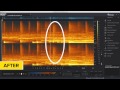
Spectral Repair is the key to discovering what your waveform won't show you. Use familiar drawing tools to identify and select problem frequencies and unwanted sounds. Salvage unusable material by filling in audio gaps instantly. With a unique visualization and a variety of selection tools to use, Spectral Repair lets you get closer to your audio—and take a hands-on approach to repairing and enhancing it.

Denoise
Reduce unwanted background noise quickly and easily
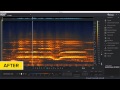
Denoise provides natural noise reduction with unparalleled clarity and control. Built with the most troublesome audio imperfections in mind, Denoise removes unwanted noise from any type of recording—such as music, old recordings, home movies and more. With transparent noise suppression technology that minimizes artifacts, the Denoise module is carefully designed to preserve the character of your audio. In addition, Denoise allows independent control over both tonal and broadband noise components, providing ultimate creative control over the color of the end result.

Declip
Rebuild distorted audio caused by analog and digital overload
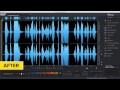
iZotope's Declip technology reconstructs peaks damaged by clipping at either the analog or digital stage. With a redesigned workflow new to RX 3, it's never been easier to reduce even the most intrusive signal clipping. As a bonus, the brand new Suggest feature in Declip can automatically analyze a selection and recommend a suitable threshold—helping you get through projects even faster.

Declick & Decrackle
Eliminate clicks, crackles, pops and digital impulse noises
Declick automatically identifies and removes clicks, pops and digital impulse noises that can ruin a listening experience. Turn to Declick when polishing audio transfers and other recordings suffering from quality degradation, digital errors, mouth noises, and interference from cell phones. For the toughest click and crackle problems, Interpolate Mode allows you to make manual sample-level corrections to audio.

Remove Hum
Remove electrical hum and line noise
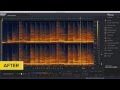
Remove Hum automatically identifies the base frequency of unwanted hum, and precisely removes it from the recording along with harmonics—ensuring a clean overall sound. For more complex hum and buzz removal, the module also automatically recommends when to use Denoise instead, so you'll always have the best tool at hand for the job.

Additional Modules & Highlights
- Time & Pitch | Features Radius®, iZotope's world class time-stretching and pitch-shifting algorithm as well as Pitch Contour, a pitch re-mapper with all-new time-variable sampling
- Resample | Ensure the highest quality when adjusting sample rates with SRC™, iZotope's world-class sample rate conversion algorithm.
- Dither | Get the best quality when reducing bit resolution for final delivery of your project with MBIT+™, iZotope's renowned dither algorithm.
- Gain | Bring your levels up or down with a robust gain module that supports several fade types, and includes a new Normalize feature.
- EQ | A 6-band parametric equalizer with adjustable notch filters and low-pass/high-pass filters.
- Channel Operations | A module that offers precise delay and phase operations.
- Spectrum Analyzer | A detailed spectral display that detects peaks automatically.
- 3rd Party Plug-in Support | Host any Audio Unit or VST plug-in in RX 3's Plug-In module.
- Batch Processing | Chain modules, process multiple files at once, and use multiple CPUs to speed up your workflow.
- Compare Settings | Find just the right sound you're looking for by processing and auditioning multiple settings side-by-side.

Highlights
Redesigned user interface
- A brand-new look for RX brings enhanced workflows and intuitive controls, allowing you to work more quickly and efficiently than ever before.
Multi file workflow
- Open, edit and process multiple files at once—bringing true multi-tasking to your audio repair work.
Multicore processing
- Take advantage of your computer’s power when performing intense audio processing. Optimized to use every CPU core available, the RX 3 standalone application allows you to process audio faster than ever before, with the highest possible quality.
Flexible denoising
- Identify and treat any noise profile with flexible selection techniques. Build a strong noise profile by making multiple noise selections, anywhere there’s noise in your file, with the time-and-frequency, lasso and brush selection tools.
Enhanced declipping
- RX 3 has been redesigned to integrate the Declip workflow directly into the waveform display, allowing for more intuitive processing. And with an automatic mode that suggests a suitable threshold, it’s a time-saver too.
RX Documents
- Easily revisit past edits in a portable, archive-ready format. Store unlimited undo history, audio data and markers for all your projects with the powerful new RX Documents.
Plug-in hosting
- Formerly a feature limited to RX 2 Advanced, plug-in hosting is now included as a standard feature in RX 3. Use 3rd party plug-ins to apply audio processing to frequency selections. Use your favorite VSTs and AUs within RX to open limitless creative possibilities.
Selection refinements
- RX 3 adds three new selection tools to make audio repair even faster. Invert Selection and Invert Selection Frequencies make honing in on problematic audio more precise, and Select Harmonics allows you to choose exactly which harmonics of the current selection will be treated.
Detect optimal phase rotation
- Balance asymmetric waveforms by precisely rotating signal phase. Suitable for dialogue, voice and brass instruments, it increases the headroom of a signal, allowing the mix more room to breathe.
Audio recording and monitoring
- Cut down on additional software and save time by recording directly into RX 3. With input metering and input monitoring, RX 3 allows you to audition audio in real time—assisting you with setting the right levels.
Waveform statistics
- View helpful stats on the current selection of audio to make more informed edits, including true peak level, RMS level, loudness range and more.
Scrub audio
- Speed up your workflow by quickly auditioning different regions of an audio file. Use the new Seek handle at the top of the playhead cursor, or hold Control/Command while clicking in the spectrogram display.
Declick presets
- Easily target and repair thumps and discontinuities with new Declick presets.
Parametric EQ refinements
- Enjoy a wider range of FFT sizes, and get closer to real analog filters with non-warped frequency responses.
Improved MBIT+™ quality
- Formerly a feature limited to RX 2 Advanced, MBIT+ dither is now included as a standard feature in RX 3, and now also includes an extended range of noise shaping curves.
SRC™ sample rate conversion
- Formerly a feature limited to RX 2 Advanced, SRC is now included as a standard feature in RX 3.
System Requirements
RX 3 runs as a standalone application, or as a suite of plug-ins for your DAW or NLE.
Operating system requirements:
- Windo
 ws: (XP, x64, 7, 8)
 - Mac: OS X 10.6.8 or later (Intel-based Macs only)
Plug-in formats:
- AAX (Pro Tools 11)
- RTAS/AudioSuite (Pro Tools 7.4-10)
- VST and VST 3
- Audio Unit
Host compatibility:
In addition to being available in RX 3's standalone mode, RX 3 modules are also compatible* as plug-ins for popular hosts like Pro Tools, Media Composer, Cubase, Nuendo, WaveLab, GarageBand, Logic, Final Cut Pro, Premiere, Audition, SONAR, ACID, Vegas, Sound Forge, Ableton Live, and many more.
*Please note: the Spectral Repair plug-in is not a real-time plug-in, and therefore is not compatible with some hosts.
Unsported Hosts
- Applie Logic
- Apple Garageband
- BIAS Peak
- Ableton Live
- Sony Acid
Awards
Steve Levine
"Many vintage synthesizers are often plagued with hum, buzz and noise. That's where RX allows you to incorporate these gems into projects whilst maintaining a modern technical level."
Adam Ayan
"RX 3 is powerful as well as quick and intuitive. A fast learn with great results!"
Bob Bronow
"I didn't think my workflow could get any better than RX 2. With RX 3, it has—it’s fully integrated into the workflow of every show I mix."


